HOW TO LAUNCH A TOKEN
Anyone can launch a meme coin on Solana using PumpBundler.com and can get their token trading on Raydium, Dexscreener, Dextools, Jupiter, Photon and all major Telegram Bots within minutes. Below is a step-by-step guide to help you through the process:
Step 1: Access Pumpbundler.com
Visit the https://pumpbundler.com/#/token/create website and ensure you are connected to the Solana network using a compatible wallet like Phantom.
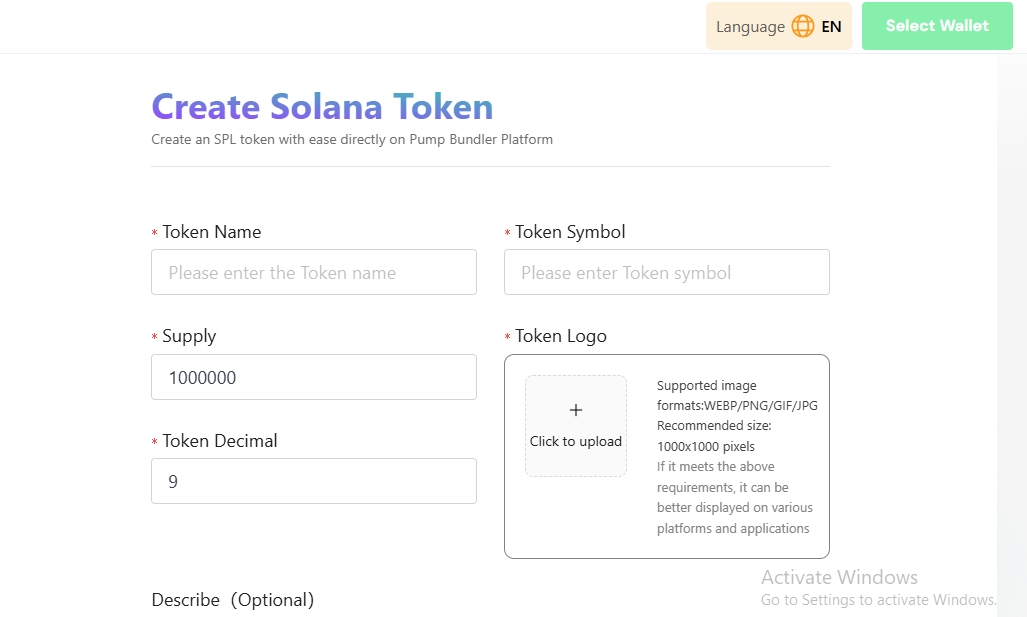
Step 2: Create Your Token
On the Platform, navigate to the token creation section.
Fill out the necessary details for your meme coin, including:
Token name
Token symbol
Token logo (upload an image representing your meme coin)
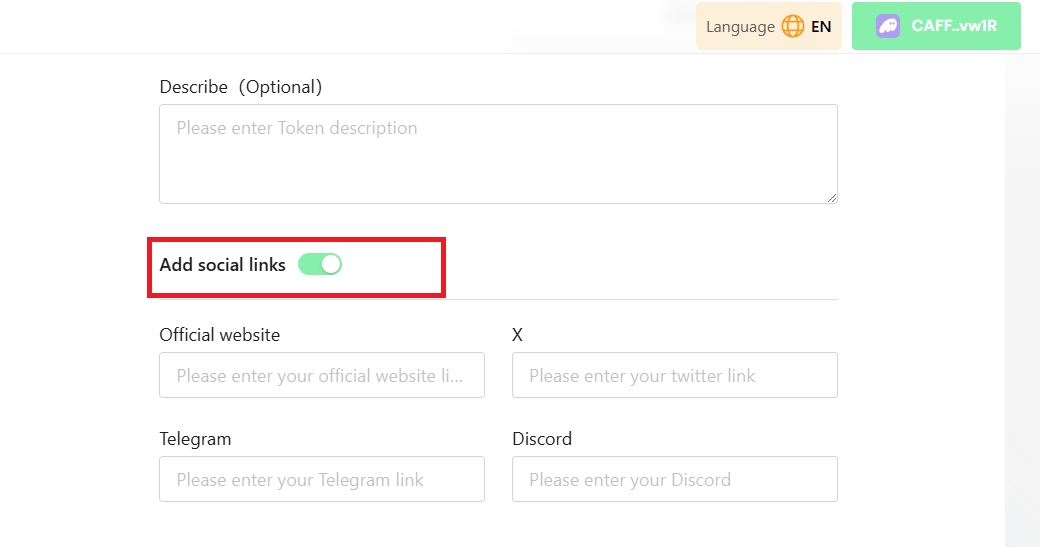
Note: There’s an option to add social links for Token website and social media URLs. Click on “Upload Metadata”. After Metadata is uploaded successfully, enter token decimal and token supply. Next is to enable “Revoke Freeze Authority”, “Revoke Mint Authority” and “Revoke Metadata Update Authority” before clicking on “Create Token” button.
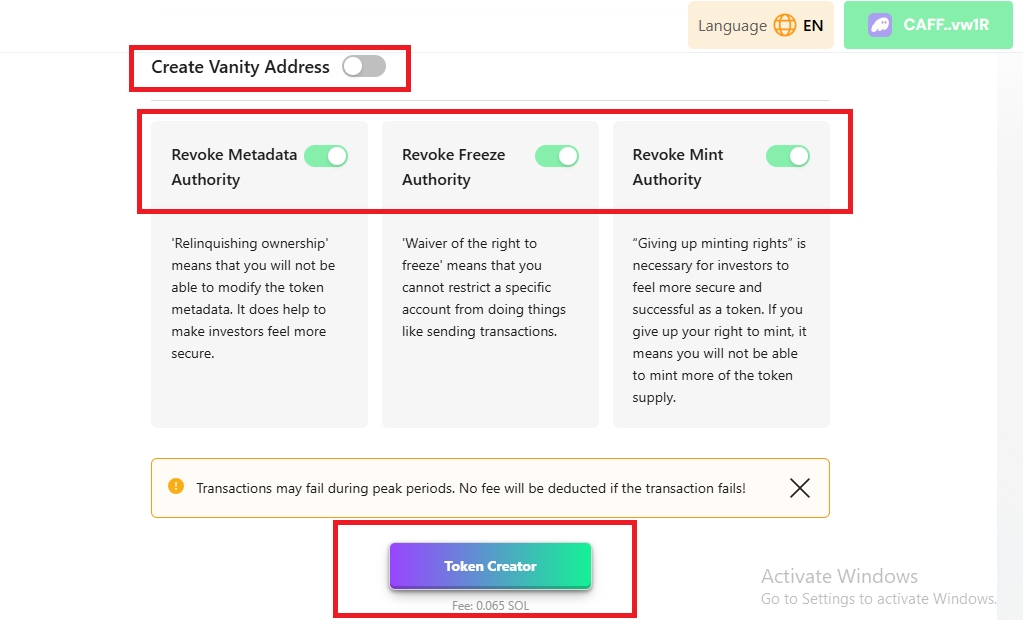
Next step is to sign the transaction in your wallet.

Your Token address will be displayed on the page after your transaction is confirmed.
Step 2: Create Raydium Liquidity
There are two ways to create liquidity, there's an option to create liquidity on Raydium AMM (V2) and Raydium CPMM (V3) directly on PumpBundler platform. Creating AMM (V2) liquidity is quite expensive and it demands an Openbook ID to create liquidity. Learn how to create an Openbook Market ID here if you prefer AMM (V2)
How to Set Up a Raydium Liquidity Pool and add initial Liquidity
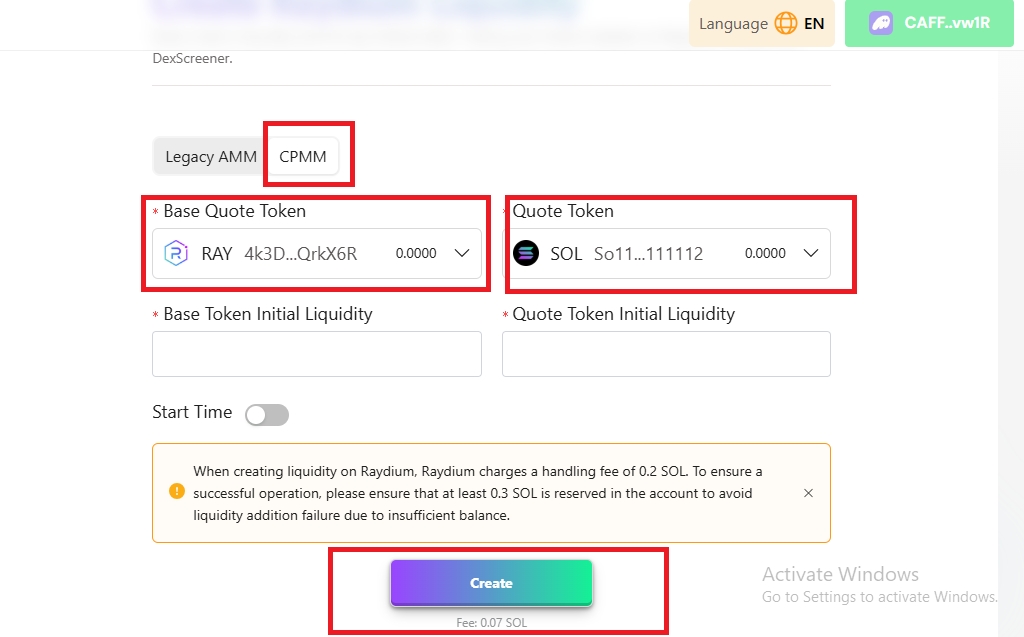
Create CPMM (V3) liquidity pool for your token and specify the initial liquidity amount and other parameters as needed by visiting the Create Pool Page at https://pumpbundler.com/#/raydium/createLiquidity and select CPMM as shown below.
Now enter the amount of Tokens you want to pair with Sol. Usually you would like to pair your tokens with 4 SOL and above. Enter the start time after setting the amount of your tokens you want to pair with SOL or leave the start time disabled to launch liquidity immediately.
Click on “Create” button, confirm the transaction and wait for the pool to be created.
Step 3: Burn Liquidity Pool Tokens
On Solana, projects usually burn their LP tokens to gain community trust and allow their tokens to be traded freely. Burning your LP tokens will also reflect on platforms like Dexscreener, displaying a padlock on your token page.
To burn your lp tokens, visit https://pumpbundler.com/#/token/burn and Click to select token you wish to burn.
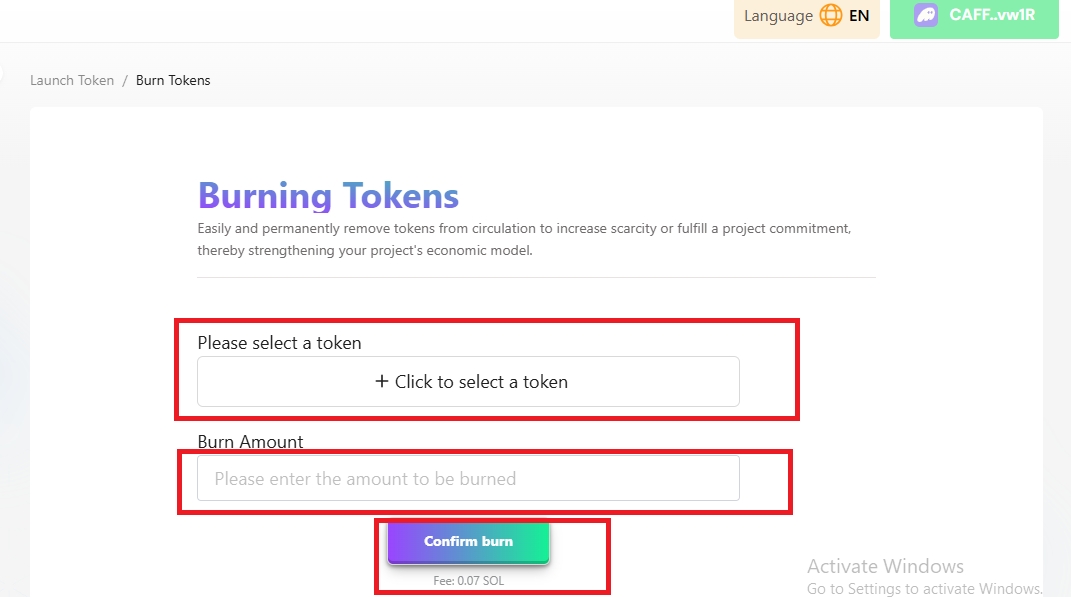
Enter your burn amount and click on the Confirm Burn button.
Sign the transaction to complete the LP burn process.
Your token will be available for trading on Raydium, Dexscreener, Dextools, Jupiter, Photon and all major Telegram Bots after going through the above process. Additionally, you can list your token on various token aggregators for increased visibility. Here’s how:
Automatic Listing: Your token will be automatically listed on platforms like Birdeye and Dexscreener after creating the liquidity pool.
Apply for Listing: Apply for listing on larger platforms like CoinGecko and CoinMarketCap to reach a broader audience.
Follow the application processes for each platform, providing necessary details about your token and project.
Optional Verification: Consider applying for verification on prominent Solana platforms like Jupiter Aggregator for increased credibility and accessibility.